



Are You USA Friendly?
Yes
3Commas was founded in 2017 as trading crypto directly on exchanges was difficult because you had to constantly monitor your positions in order to make any profit. This inspired the 3 commas team to build a reliable platform that can help stabilize earnings in crypto while taking away some of the emotions that might result in losses. Once the power of 3Commas was realized, we opened it to the world of crypto and the rest as they say is history.
After launch, user feedback poured in and slowly but surely has grown the platform to where it is today. By being a feedback-driven service, we have always remained and promise to remain user-centric in anything we develop for the 3Commas family.
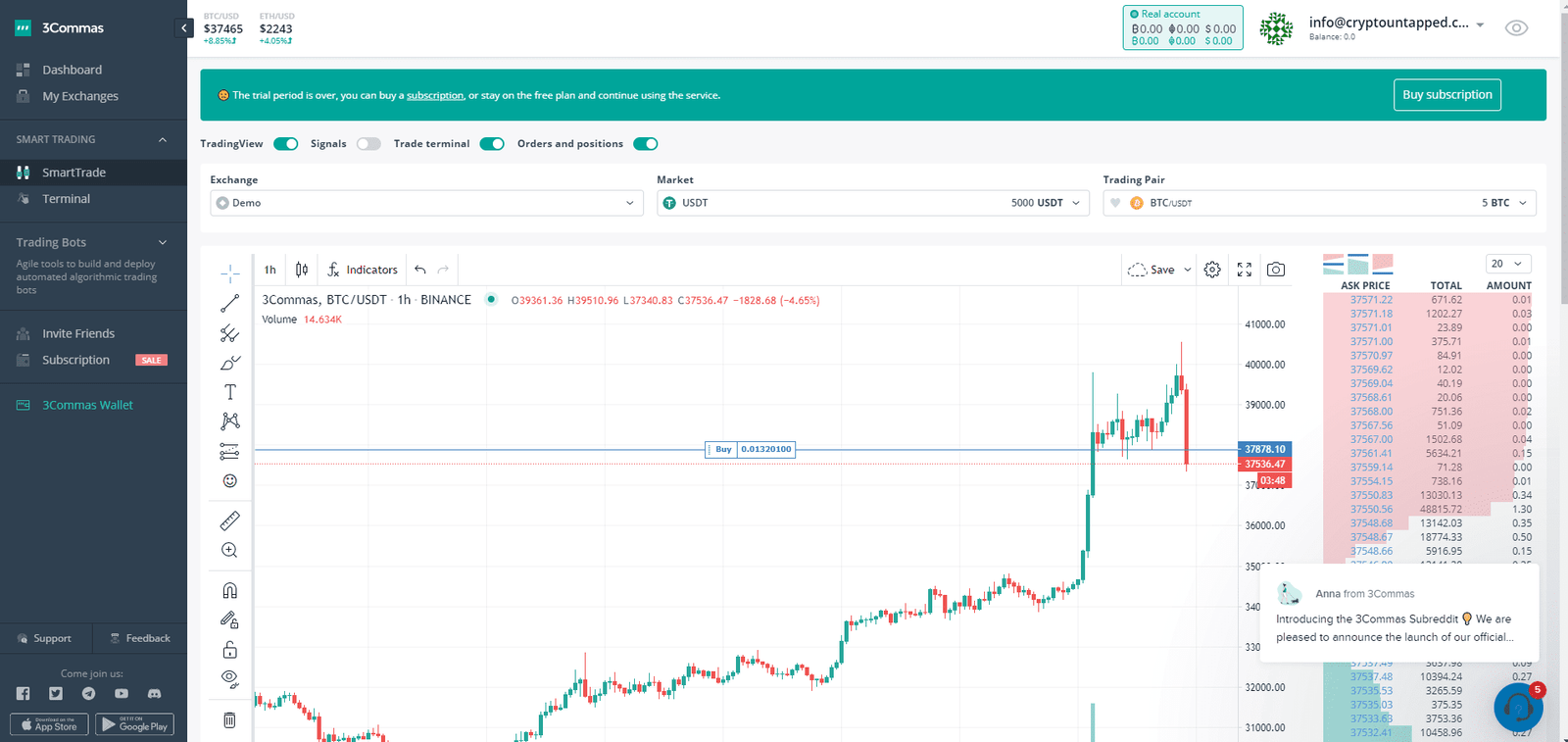
When we checked in October 2026, 3Commas let you connect these exchanges: Binance (spot and futures), Hyperliquid (spot and futures), Bybit (spot and futures), OKX (spot and futures), Bitget (spot and futures), Gate (futures), Kraken (spot and futures), KuCoin (spot and futures) and Coinbase (spot and futures). Its bots include DCA, Grid and Signal bots (for TradingView alerts), SmartTrade, plus backtesting, an AI assistant and a trading journal. Always check the current list on 3commas.io before you sign up.
Making trading simple, comfortable, and profitable!
3Commas is a trading platform that helps you trade on crypto market exchanges since 2017. We’ve created a clear and transparent system that conducts transactions according to the parameters you set, and we have connected investment tools and financial protection algorithms to it. Our can users trade on 23 exchanges and automatically get profit using our trading bots, without wasting time on tracking quotes.
3Commas has been running since 2017 and is one of the best-known crypto trading bot platforms. It connects to your exchange accounts by API and lets you run several bot types from one dashboard:
3Commas suits traders who want to automate DCA or signal-based strategies across more than one exchange, especially if they already use TradingView. Beginners may prefer a simpler grid bot such as Pionex or a free plan like Gainium. Compare more options in the best crypto trading bots.
| Starter | Pro | Expert | |
|---|---|---|---|
| Price (monthly / annual) | $20 / $15 per month | $50 / $38 per month | $140 / $105 per month |
| Markets | Spot only | Spot and futures | Spot and futures |
| API keys per exchange | 1 | 5 | 25 |
| Active DCA bots | 5 | 20 | 1,000 |
| Active Signal bots | 2 | 20 | 1,000 |
| Active Grid bots | 2 | 10 | 1,000 |
| Open positions | 500 | 1,000 | 5,000 |
Every plan includes a demo account, webhook execution, Pine Script execution and access to 9 exchanges, and each plan can be tried free first. Annual billing works out at three months free. 3Commas accepts card, PayPal and crypto payments (recurring billing isn't available when you pay in crypto).
A DCA (dollar-cost averaging) bot opens a trade with a base order, then places averaging orders below the entry price. If the price falls, these orders fill and lower your average entry, so a smaller bounce is needed to reach your take profit. The key settings are:
Before launch, 3Commas shows the total amount the bot could need and the maximum price drop it can cover, which is the number to check. Our step-by-step guide covers every setting: 3Commas DCA bot settings explained.
The Grid bot buys low and sells high inside a price range. It supports range trading, trend following with trailing up and down, and scalping with narrow grids, plus backtesting, AI-suggested settings and take profit/stop loss. The Signal bot turns webhook alerts from TradingView indicators, Pine Script, Python or Java scripts, or tools like IFTTT into orders. One Signal bot can manage up to 200 pairs, trade long and short in hedge mode, and use multiple take profits with a trailing stop.
Compared with Cryptohopper, 3Commas offers more flexible DCA and signal bots and cheaper entry pricing. Cryptohopper has a bigger strategy and signal marketplace. HaasOnline is the choice for traders who want to script their own logic. See our full comparison: 3Commas vs Cryptohopper vs HaasOnline.
Which exchanges does 3Commas support? Binance, Hyperliquid, Bybit, OKX, Bitget, Gate, Kraken, KuCoin and Coinbase (see the full list above).
Is there a free 3Commas plan? There is no permanent free plan, but every paid plan has a free trial and a demo account for paper trading.
Does 3Commas hold my funds? No. 3Commas provides software only and trades through API keys on your own exchange account. Enable IP whitelisting and never give the key withdrawal permission.
Is 3Commas good for beginners? Its strategy presets and Strategy Gallery help beginners start quickly, but the DCA settings take time to understand. Start on the demo account first.
https://t.me/commas
All plans can be tried for free first. 3Commas offers DCA, grid and signal bots, smart trading terminals and its QuantPilot AI strategy builder.
Prices checked on the provider's website in October 2026. Plans change, so confirm before you subscribe.
While 3Commas doesn’t store your money and does not have the ability to withdraw or transfer funds from your exchange account, we highly recommend you go through this crypto-security checklist to feel confident about the security of your funds.
When working with an exchange:
When working with mobile devices:
Secure your smartphone with a PIN code.
Never give your device to anyone while the trading app is opened or with your Google Authenticator is accessible.
Always ensure that your backup codes are retrievable in the event your phone is lost or stolen.
When creating an account on 3Commas:
When using 3Commas:
Following security measures is vital in cryptocurrency trading. Always remember that $100 worth of a token may become a fortune someday. So treat every penny with respect.
Yes